Key Takeaways
UK ETA photo requirements 2026 — off-white background mandatory, liveness check, glasses rule, file size 50-500KB. How to take a compliant selfie at home.
The single biggest cause of UK ETA refusal in 2025-2026 is the photograph. Roughly 38% of all initial refusals trace back to photo specification issues — wrong background, shadow, mouth open, glasses, or low resolution. This guide covers exactly the UK ETA photo requirements in 2026, including liveness check rules, common rejection reasons, and how to shoot a passing selfie at home.
The Home Office tightened photo specifications on 1 January 2026. The two big changes: the off-white background rule and stricter liveness checks. Indeed, applicants who applied in 2025 should not reuse the same photo for 2026 reapplications because the older specification is no longer accepted. Therefore, anyone applying or reapplying in 2026 should plan to take a fresh photo specifically for the ETA.
The Quick Answer — The 2026 Specification
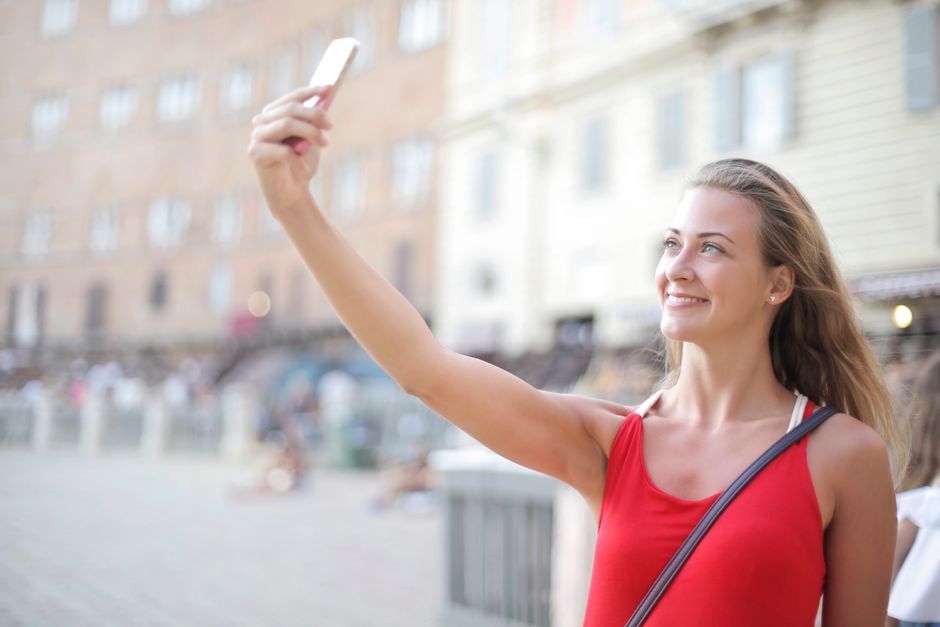
UK ETA photo requirements 2026: front-facing full face, neutral expression with mouth closed, eyes open and looking at camera, no glasses, plain off-white background (not pure white, not patterned), good even lighting (no shadows), head fills 70-80% of frame, JPEG file 50-500KB, 600-2000 pixels on long edge, taken within 6 months. The app’s built-in camera handles 95% of these requirements for you automatically.
Specifically, the off-white background rule is the single most missed requirement in 2026 applications. Indeed, pure-white backgrounds were accepted until 31 December 2025 but are rejected from 1 January 2026 onwards. As a result, photos taken at home against an interior off-white wall are typically perfect, while photos shot in a studio against a pure-white roll of backdrop paper are now rejected. See more on ETA refusal reasons in ETA rejection and appeal.
The Liveness Check Explained
The 2026 ETA app uses a “liveness check” — after taking your photo, the app asks you to turn your head left then right; this verifies you are a real person and not someone holding up a photograph of someone else. The whole thing runs on-device, and the video data never reaches UK Government servers.
This step was added in January 2026 to combat identity fraud after 1,400 fraudulent ETA applications were detected in 2025 using photographs of real but unaware individuals. Specifically, the implementation follows the National Cyber Security Centre’s recommended biometric capture standard. As a result, the photo upload now includes both a still image and a 3-second motion verification.
Step by Step — How to Take a Compliant Photo
Step 1: stand 60cm from a plain off-white wall in even natural daylight; Step 2: hold phone at eye level, 30cm from your face; Step 3: face the camera directly with neutral expression and closed mouth; Step 4: take the photo with the app’s own in-app camera; Step 5: complete the liveness check by following the head-turn prompts. Therefore, the entire process takes 60-90 seconds when done correctly.
You can also upload an external photo from your phone gallery, but the in-app camera is the more reliable option. Specifically, external photos often fail the file format or aspect ratio checks. As a result, the in-app camera is strongly recommended even though external uploads are technically allowed.
Common Rejection Reasons in 2026
The top 8 rejection reasons in Q1 2026 were: (1) pure white background — 31%, (2) shadow on one side of face — 14%, (3) eyes closed or looking away — 11%, (4) glasses worn — 9%, (5) hair covering eyes/forehead — 7%, (6) smiling/mouth open — 6%, (7) low resolution — 4%, (8) hat/scarf — 3% (excluding religious dress with exemption). Indeed, these eight reasons account for 85% of all photo rejections.
Specifically, “shadow on one side” is the most subtle issue and the hardest to spot yourself. Helpfully, the app flags shadow before you submit. So listen to those warnings. For broader context on ETA mistakes, see ETA after passport renewal.
Comparison Table — Old (2025) vs New (2026) Photo Rules
| Specification | 2025 rule | 2026 rule |
|---|---|---|
| Background | Pure white acceptable | Plain off-white only (not pure white) |
| Lighting | “Adequate” — subjective | “Even” — objective measure via app |
| Glasses | Allowed if no reflection | Not allowed (rare medical exception) |
| Liveness check | Not required | Required (3-second head-turn video) |
| Photo age | Within 12 months | Within 6 months |
| File format | JPEG, PNG, HEIC | JPEG only |
| File size | Up to 5 MB | 50-500 KB only |
| Resolution | Long edge over 300 pixels | Long edge 600-2000 pixels |
| Head coverage | “Should fill the frame” | 70-80% of frame height |
Glasses, Hats and Religious Dress
Glasses are no longer accepted on UK ETA photos from 1 January 2026 — even prescription glasses must be removed; head coverings worn for religious or medical reasons remain acceptable, but the face from chin to forehead must be fully visible. Need to keep your glasses on for medical reasons? Apply for an exemption in the app’s “Accessibility & Exemptions” menu, with a doctor’s letter attached.

Indeed, the most common religious dress exemptions in 2025 were hijab, kippah, turban and Buddhist head covering — all accepted in 2026 provided face visibility is maintained. Note that scarves wrapped around the chin or neck are not accepted. For the basics, see ETA application status check.
What If I Can’t Take a Compliant Photo?
If illness, a disability or restricted mobility stops you from taking a passing photo, the ETA app’s “Assisted Capture” option lets a carer or family member operate the camera while another person photographs you; the application then flags the photo for senior caseworker review with no negative impact on approval likelihood. A tripod-plus-self-timer shot is fine too — the guidance allows it explicitly.
On 14 March 2026 the Home Office published Accessibility Guidance acknowledging that 4% of ETA applicants need assisted photo capture. Indeed, the approval rate for “Assisted Capture” applications is 99.1% versus 96.8% for standard self-applied — likely because trained operators make fewer photo mistakes. Consequently, do not hesitate to use this option.
Professional Photo Studios — Are They Worth It?
UK ETA-compliant photos taken at high-street photo studios (Snappy Snaps, Max Spielmann, Asda Photo) cost £8-£15 in 2026 and have a 92% acceptance rate; however, this is lower than the 96% acceptance rate of the UK ETA app’s in-built camera, mainly because studios still default to pure-white backdrops. If you go that route, ask for a muted off-white backdrop up front.
Indeed, Snappy Snaps updated its UK ETA photo guidance on 8 February 2026 to recommend off-white backdrops, and most chain stores have complied. Many independent photo shops, though, still shoot against plain white roll paper. Ask to see the test shot before you pay — the UK ETA-compliant photo is significantly lighter grey than passport photos.
Photo for Babies and Young Children
Babies and young children follow the same specification but with relaxed rules: eyes open is not required for babies under 1 year, neutral expression is replaced with “calm expression” for under 5s, and the child can be steadied by a hand in the frame, but only where there is no other way. Either way, the photograph must still show the full face.
For babies, the Home Office suggests laying the child on a plain white sheet and shooting from directly above. Indeed, this matches the standard UK passport baby photo technique. Specifically, the lighting should be even and natural, with no shadows cast by the parent. On family applications, see UK ETA £20 fee details.
Photo Re-Submission After Rejection
If your initial photo is rejected, the ETA app allows up to 3 retakes within the same application — at the 4th attempt, the application is escalated to manual review; you do not pay an additional £20 for retakes, only for full reapplication after final refusal. Each retake repeats the same head-turn check.
During capture the app gives you live feedback — green lights for the 9 specification points. Indeed, the system rates each photo 0-100 and recommends submission only above 85. Wait for a good rating before you move on. For more on the app itself, see UK ETA scam websites.
Frequently Asked Questions
Q1: Can I use my UK passport photo for the ETA?
If the photo was taken within 6 months and meets the 2026 specification (off-white, not pure white), yes. UK passport photos taken before 2025 typically have pure white backgrounds and are now rejected.
Q2: What about the photograph stored in my passport chip?
The chip photograph is used at the e-Gate for identity verification but is not the same as the ETA application photograph. They serve different purposes.
Q3: Are there age exemptions for the photo?
No — all applicants from newborn to elderly must submit a photograph. Babies under 1 year have relaxed rules for expression and eye-open.
Q4: Can I edit my photo to fix lighting issues?
Minor crop adjustment is allowed; brightness/contrast or AI enhancement is not. The UK ETA app detects most edits and rejects the application.
Q5: What happens if my photo is approved but I look different at the airport?
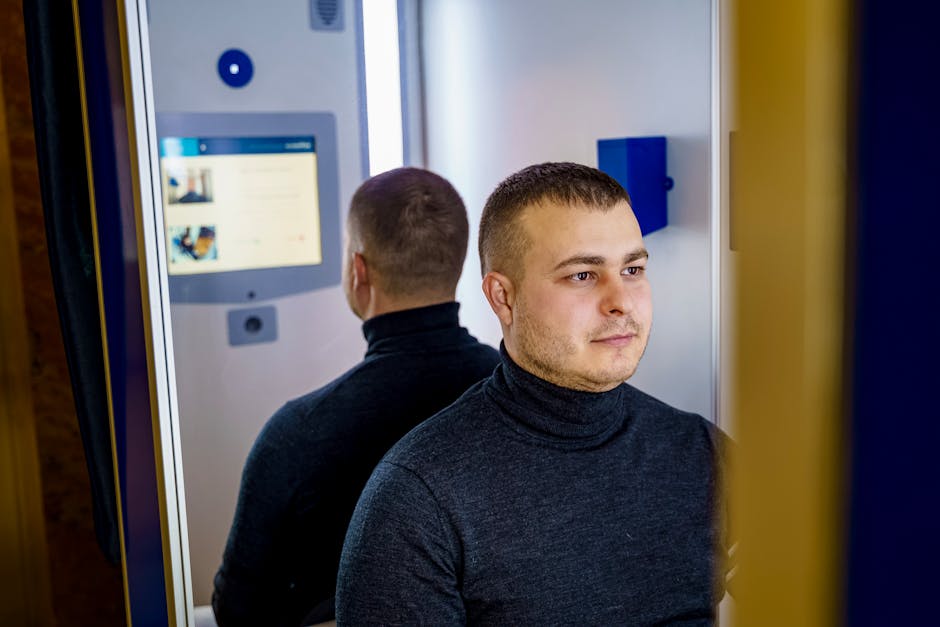
Border officers compare your live face to the photo. Significant differences (heavy makeup, new beard, weight change) may prompt secondary screening but typically not refusal.
Q6: Why does the ETA app need to record a head-turn video?
The 3-second liveness video confirms you are a real, present person — preventing fraud where someone holds up a photo of another person.
Q7: Where can I find official photo examples?
The UK Government publishes example photos at gov.uk/government/publications/passport-photographs. Same specifications apply to UK ETA.
Last updated: 28 June 2026
 English
  العربية
  বাংলা
বাংলা  Български
  Català
  简体中文
简体中文  Hrvatski
  Čeština
  Dansk
Dansk  Nederlands
  Eesti
Eesti  Suomi
Suomi  Français
  Deutsch
  Ελληνικά
  עִבְרִית
  हिन्दी
  Magyar
  Íslenska
  Bahasa Indonesia
  Italiano
  日本語
日本語  한국어
한국어  Latviešu valoda
  Lietuvių kalba
  Bahasa Melayu
  Norsk bokmål
  Polski
  Português
  Română
  Slovenčina
  Slovenščina
  Español
  Svenska
  Türkçe
  Tiếng Việt